We’re sorry to see you go!
If you wish to delete your MYMCO account, you can do it directly from the app.
Please follow the steps below carefully. Once deleted, your data cannot be restored.
Steps to Delete Your Account
1. Open the MYMCO app on your device.
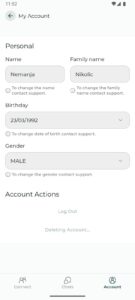
2. Go to Account → My Account.
3. Under Account Actions, select Delete Account.
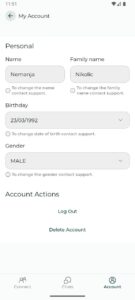
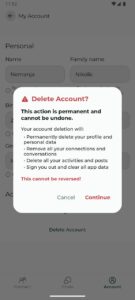
4. A confirmation box will appear explaining what happens when you delete your account.
4.1. For safety and legal reasons, some information may be retained if your account was reported or found to be involved in misuse.
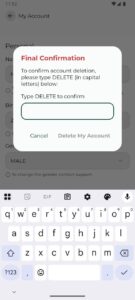
5. To confirm deletion, type DELETE (in capital letters) in the field provided.
This step helps prevent accidental deletions.
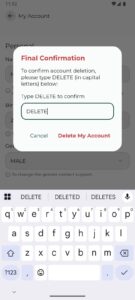
6. Press Delete My Account once again.
7. The app will show “Deleting account…” — please wait until the process completes.
8. You’ll then be signed out automatically and returned to the initial login screen.
9. If you have any questions about the account deletion, please contact us at help@mymcoapp.com.
